- TESDA
Computer Systems Servicing NC II: Modules, Sino ang Dapat Kumuha, at Assessment
- Nico Vela
- 22 Oct 2026
Ang Computer Systems Servicing NC II ay TESDA qualification para sa pag-assemble at pag-configure ng computer, pag-set up ng network at server, at pag-maintain at pag-repair ng computer systems at networks. May libreng modules ito sa TESDA Online Program (TOP). Hindi National Certificate (NC) ang matatanggap mo kung matatapos mo lang ang online modules.
Ang detalye dito ay galing sa Training Regulation na amended noong Disyembre 2013. Iyon ang PDF na naka-publish sa TESDA. Ang limang modules ay ang naka-lista sa TOP catalog noong 21 Oktubre 2026, sa folder na Computer System Servicing NC II. Ang SiteDecide ay independent na source ng educational information. Hindi kami affiliated sa TESDA. I-check ang e-tesda.gov.ph/course bago mag-enroll, dahil nagbabago ang catalog.
Kung hinahanap mo muna ang buong listahan, basahin ang gabay sa libreng TESDA online courses.
Ano ang Computer Systems Servicing NC II?
Computer Systems Servicing NC II, o CSS NC II, ay qualification sa electronics sector. Ayon sa Training Regulation, kailangan mong magkaroon ng competencies para mag-install at mag-configure ng computer systems, mag-set up ng computer networks at servers, at mag-maintain at mag-repair ng computer systems at networks.
Iba ang spelling sa TOP. Computer Systems Servicing NC II ang title sa Training Regulation. Computer System Servicing NC II ang pangalan ng folder sa catalog noong 21 Oktubre 2026. Iisang qualification ang tinutukoy ng dalawang pangalan dito.
Ayon sa TR, ang taong nakamit ang qualification na ito ay competent na maging:
- Computer Assembler
- Computer Service Technician
- Network Technician
- Computer Maintenance Technician
Ibig sabihin, kaya mong gawin ang trabaho na inilalarawan ng qualification. Hindi ito garantiya ng trabaho. Depende pa rin sa employer, sa experience mo, at sa trabahong available.
Ang curriculum sa TR ay 280 training hours: 40 hours para sa basic competencies, 80 hours para sa common competencies, at 160 hours para sa core competencies. Ito ang oras ng registered training program sa Training Regulation. Hindi ito ang haba ng bawat TOP module. Self-paced ang online courses.
Ano ang limang modules sa TOP?
Ito ang modules sa folder noong 21 Oktubre 2026. Ang apat na huli ay tumutugma sa apat na core units. Ang una ay introduction module sa catalog. Wala itong hiwalay na core unit sa Training Regulation.
| TOP module | Katumbas sa Training Regulation |
|---|---|
| Introduction to Computer Systems Servicing | Introduction module sa TOP folder. Hindi ito hiwalay na core unit. |
| Installing and Configuring Computer Systems | Install and configure computer systems (ELC724331) |
| Setting Up Computer Networks | Set-up Computer Networks (ELC724332) |
| Setting Up Computer Servers | Set-up Computer Servers (ELC724333) |
| Maintaining Computer Systems and Networks | Maintain and Repair Computer Systems and Networks (ELC724334) |
Ang pagtatapos ng modules ay puwedeng magbigay ng e-certificate of completion kung kasama iyon sa course. Iba iyon sa NC. Nasa pag-download at pag-verify ng e-certificate ang pagkakaiba.
Introduction to Computer Systems Servicing
Ito ang unang module sa folder. Hindi inilalarawan ng Training Regulation ang laman ng online lesson na ito, kaya hindi dito idedetalye ang bawat video o quiz sa loob ng module. Basahin ang course page sa e-tesda.gov.ph bago mag-enroll.
Ang apat na sumusunod na modules ang tumutugma sa core competencies. Doon nakabase ang national assessment.
Installing and Configuring Computer Systems
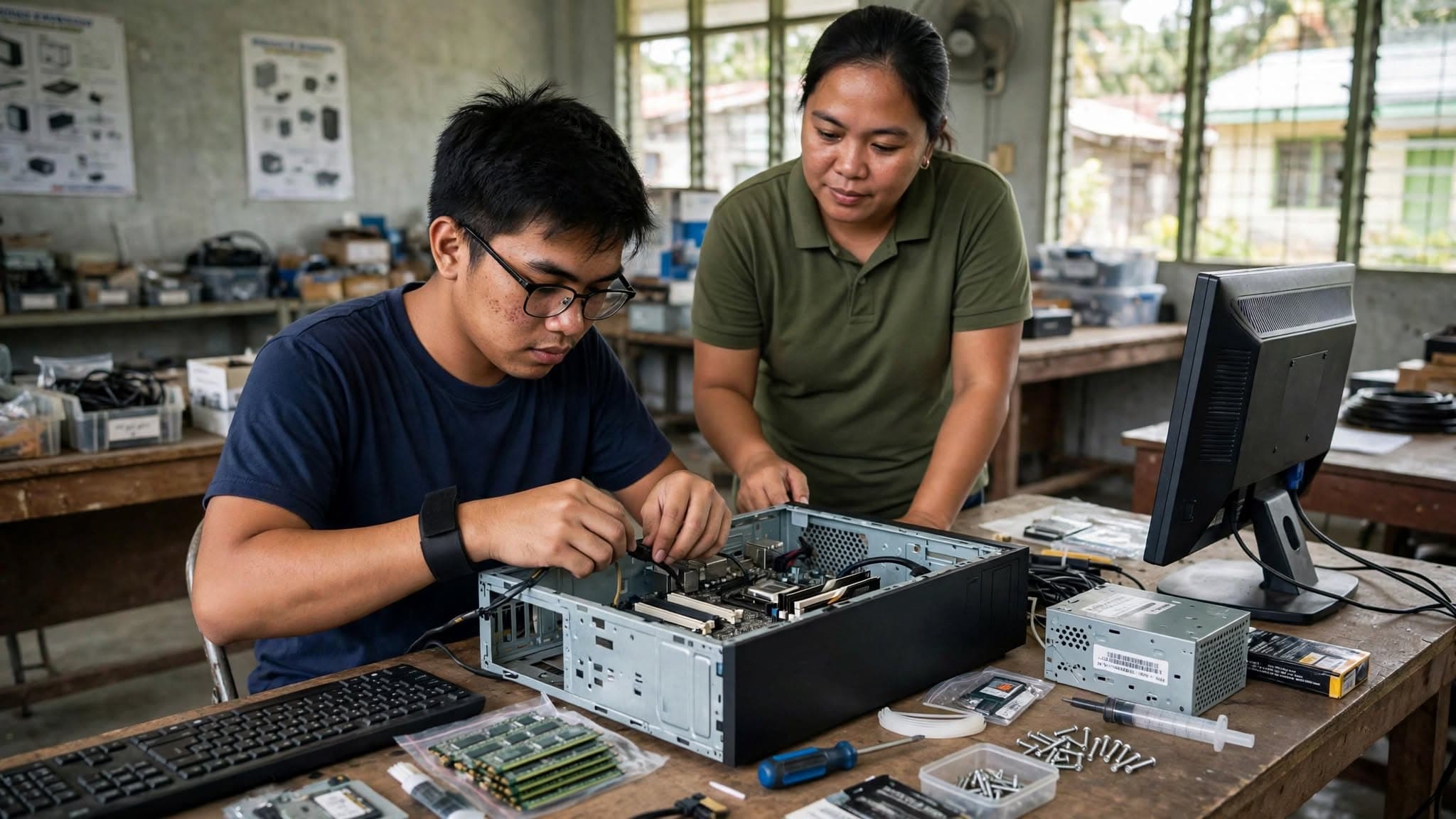
Ang unit na ito ay para sa desktop at workstation computers. Ayon sa TR, kasama ang pag-assemble ng hardware, pag-install ng operating system at drivers ng peripherals, pag-install ng application software, at testing at documentation.
Ito ang mga gawain:
- I-assemble ang computer hardware, kasama ang BIOS configuration, habang sinusunod ang safety procedures.
- Maghanda ng installer, kasama ang portable bootable device, ayon sa instruction ng software.
- Mag-install ng operating system at drivers, tapos ng updates o patches na inirerekomenda ng manufacturer.
- Mag-install ng application software ayon sa installation guide, sa kailangan ng end user, at sa license agreement.
- I-test ang system, kasama ang stress test, at i-forward ang documentation.
Sa range ng TR, ang operating system ay puwedeng Windows, Mac OS X, o Linux. Ang application software sa range ay productivity tools, utilities gaya ng anti-virus at disk management, at games. Ang software sa assessment ay nakadepende sa task at sa resources ng center.
Setting Up Computer Networks
Ang unit na ito ay para sa LAN at small-office home-office (SOHO) networks. Kasama ang pag-install ng network cables, network configuration, configuration ng router, Wi-Fi, wireless access point, o repeater, at inspection at testing.
Ito ang mga gawain sa TR:
- Planuhin ang cable route ayon sa network design at sa actual na site.
- Gumawa ng copper cable splicing base sa EIA/TIA standards. Sa range ng TR, ang splicing ay straight-through, cross-talk, at roll-over.
- I-install ang network cables at cable raceway. Kasama sa materials ang copper cable at terminated fiber optic cable.
- I-configure ang network interface card at i-check ang communication sa pagitan ng terminals.
- I-configure ang LAN port, WAN port, wireless settings, at security, firewall, o advance settings.
- I-inspect at i-test ang network, tapos gumawa ng report.
May personal protective equipment at 5S sa unit na ito. Ang sobrang materials ay ididispose base sa WEEE at 3Rs, ayon sa TR.
Setting Up Computer Servers
Ang unit na ito ay pag-set up ng computer servers para sa LAN at SOHO. Hindi ito buong data-center course. Tatlong bahagi ang nasa TR:
- User access. Gumawa ng user folder, i-configure ang access level, at gumawa ng security check ayon sa network access policy o sa hinihingi ng end user.
- Network services. I-check ang normal na function ng server, i-install o i-update ang required modules, i-configure ang services na kailangan, at i-check kung gumagana ang mga ito.
- Testing, documentation, at pre-deployment. I-check ang operation at security, tapos kumpletuhin ang reports.
Ang range ng network services sa TR ay remote access, domain controller, web services, database services, proxy server, at sharing ng files, printers, at iba pang resources. Hindi ibig sabihin na lahat ng iyon ay gagawin sa isang assessment task. Kinukumpirma ang services base sa user o system requirements.
Ang pre-deployment sa range ay installation ng application at pag-populate ng database.
Mahalaga ang unit na ito kung may Computer Hardware Servicing NC II ka na. Sa TR, kailangan pa ring magpa-assess para sa COC na ito. Nasa ibaba ang paliwanag.
Maintaining Computer Systems and Networks
Ang TOP module ay “Maintaining Computer Systems and Networks.” Ang unit title sa TR ay Maintain and Repair Computer Systems and Networks. Kasama ang maintenance at ang repair.
Limang bahagi:
- Magplano at maghanda ng tools, materials, at safety procedures base sa job o service order.
- I-maintain ang computer systems at networks, kasama ang scheduled o periodic maintenance, at ang repair o replacement kung kailangan.
- I-diagnose ang faults. Ang range ay network connectivity, software issues, at hardware issues.
- Itama ang defects. Palitan o ayusin ang defective parts nang hindi nasisira ang paligid, at gumawa ng adjustments kung kailangan.
- I-inspect at i-test, linisin ang work site, i-dispose ang excess materials base sa WEEE at 3Rs, at kumpletuhin ang report.
Ang maintenance sa range ay software updates, hard disk maintenance, at file backup o restoration.
May basic at common competencies din
Hindi lang apat na core units ang qualification. Kasama sa Section 1 ng TR ang basic at common competencies. Ayon sa TR, naka-focus ang assessment sa core units. Ang basic at common units ay ia-assess kasabay ng core units.
Basic competencies, 40 hours:
- Participate in workplace communication
- Work in a team environment
- Practice career professionalism
- Practice occupational health and safety procedures
Common competencies, 80 hours:
- Apply quality standards
- Perform computer operations
- Perform mensuration and calculation
- Prepare and interpret technical drawing
- Use hand tools
- Terminate and connect electrical wiring and electronic circuits
- Test electronic components
Sino ang dapat kumuha?
Kumuha nito kung gusto mong matutong mag-service ng computer at maliit na network, hindi lang gumamit ng office apps. Angkop ito kung ang target mong trabaho ay computer assembly, computer service, network setup, o maintenance, ayon sa apat na roles sa TR.
Para sa training, ito ang entry requirements sa TR:
- Kaya mong makipag-usap at sumulat
- Dapat pumasa sa trainability o aptitude test
Hindi kasama sa listahang iyon ang educational attainment o work experience. Puwede pa ring hingin iyon ng school o training center. Itanong sa center bago ka mag-enroll sa face-to-face program.
Para sa assessment, puwedeng mag-apply ang:
- Graduate ng formal, non-formal, at informal training, kasama ang enterprise-based programs
- Experienced workers, employed o self-employed
Hindi hinihingi ng documentary requirements ng TESDA para sa new applicant ang TOP e-certificate. Nakakatulong ang modules kung tumutugma sa qualification. Hindi nito pinapalitan ang assessment. Nasa pagkuha ng National Certificate ang application steps.
Kung may Computer Hardware Servicing NC II ka na
Ang Computer Hardware Servicing NC II ay ang dating qualification na tinutukoy ng seksiyon 4.3 ng TR. Kung may NC o COC ka na roon:
- Puwedeng portfolio assessment ang COC 1 (install and configure computer systems), COC 2 (set-up computer networks), at COC 4 (maintain and repair), kung employed ka at may related experience nang tatlong taon o higit pa.
- Kung kulang ang evidence para sa assessor, puwede ka pa ring hingan ng practical demonstration, third-party report, o iba pang evidence.
- Kailangan mong magpa-assess para sa COC 3, Set-up computer servers.
I-confirm ito sa assessment center. Dalhin ang lumang certificate.
Ano ang saklaw ng assessment?
Para makuha ang National Certificate, kailangan mong maipakita ang competence sa lahat ng units sa Section 1 ng TR. Ayon sa TR, ang pumasa ay makakatanggap ng National Certificate na pinipirmahan ng TESDA Director General.
Puwede ring Certificate of Competency (COC) kada core unit:
- Install and configure computer systems
- Set-up computer networks
- Set-up computer servers
- Maintain and Repair Computer Systems and Networks
Kapag naipon at naisumite ang lahat ng COC para sa qualification, saka ibibigay ang National Certificate.
Ito ang dapat ipakita, ayon sa evidence guide ng bawat core unit:
| Core unit | Dapat maipakita | Paraan ng assessment |
|---|---|---|
| Install and configure computer systems | Na-assemble ang hardware; na-install ang OS at drivers; na-install ang application software; may testing at documentation | Pumipili ang assessor ng dalawa mula sa practical demonstration na may oral questioning, interview, at portfolio |
| Set-up computer networks | Na-install ang network cables; naka-set ang network configuration; naka-set ang router, Wi-Fi, wireless access point, o repeater; na-inspect at na-test ang network | Pumipili ang assessor ng dalawa mula sa practical demonstration na may oral questioning, interview, third party, at portfolio |
| Set-up computer servers | Naka-set ang user access; naka-configure ang network services; may testing, documentation, at pre-deployment | Pumipili ang assessor ng dalawa mula sa practical demonstration na may oral questioning, interview, at portfolio |
| Maintain and repair computer systems and networks | May plano para sa maintenance at repair; na-maintain ang systems at networks; na-diagnose ang faults; naitama ang defects; na-inspect at na-test | Dapat pumili ang assessor ng dalawa mula sa observation na may oral questioning, interview, at portfolio |
Ang assessment ay puwedeng sa workplace o sa simulated environment. Ang practical demonstration ay isa sa mga method sa bawat core unit, kasama ang interview o portfolio na nasa table.
May Self-Assessment Guide ang TESDA para sa qualification na ito. Checklist iyon bago ang assessment. I-download ang gabay ng Computer Systems Servicing NC II sa Self-Assessment Guides. Puwede ring ibigay ng center ang form.
May assessment fee. Hiwalay ito sa libreng TOP enrollment. Ang amount ay base sa fee na itinakda ng TESDA Board para sa qualification. Tingnan ang Promulgated Assessment Fees, tapos i-confirm sa center bago magbayad.
Humanap ng center na accredited para sa Computer Systems Servicing NC II, hindi lang sa ibang ICT course. Nasa pagkuha ng National Certificate ang paghahanap ng center, ang dadalhin, at ang pag-claim.
Paano maghanda
- Buksan ang folder na Computer System Servicing NC II sa e-tesda.gov.ph at tapusin ang modules kung available pa.
- Magpraktis sa totoong computer, cables, at network device. Ang assessment ay performance. Hindi awtomatikong sapat ang panonood ng online lessons para maipakita ang pag-assemble, cable work, server setup, at repair.
- Sagutan ang Self-Assessment Guide at tingnan kung saan ka may gap.
- Kung kailangan mo ng workshop at trainer, hiwalay na application ang face-to-face scholarship. May limitasyon ang slots. Nasa libreng TESDA scholarship ang official application page.
- Mag-apply sa accredited assessment center kapag kaya mo nang ipakita ang core units.
Mga madalas itanong
NC na ba kapag natapos ang TOP modules ng Computer Systems Servicing?
Hindi. Puwede kang makatanggap ng e-certificate of completion. Ang National Certificate ay para sa pumasa sa assessment ng buong qualification.
Ano ang apat na core units?
Install and configure computer systems, set-up computer networks, set-up computer servers, at maintain and repair computer systems and networks. Ito ang core competencies sa Training Regulation na amended noong Disyembre 2013.
Sino ang puwedeng mag-training o magpa-assess?
Sa training, hinihingi ng TR na kaya mong makipag-usap at sumulat, at pumasa sa trainability o aptitude test. Puwedeng magdagdag ng requirements ang training center. Sa assessment, puwedeng mag-apply ang graduate ng formal, non-formal, o informal training, kasama ang enterprise-based, at ang experienced workers.
Puwede bang COC muna bago ang full NC?
Oo. May COC kada core unit. Kapag kumpleto at naisumite ang apat, puwede nang i-issue ang National Certificate, ayon sa TR.
Sapat na ba ang online modules para sa assessment?
Hindi awtomatiko. Puwedeng gumamit ang assessor ng practical demonstration. Magpraktis sa equipment, at i-check ang Self-Assessment Guide bago mag-apply.
Official links
- Training Regulation, Computer Systems Servicing NC II, amended December 2013
- Training Regulations list
- Self-Assessment Guides
- TESDA Online Program course catalog
- Promulgated Assessment Fees
- Assessment Centers
Kung CSS NC II ang kukunin mo, tapusin ang modules na tumutugma sa apat na core units, magpraktis sa equipment, at magpa-assess sa center na accredited para sa qualification na ito.